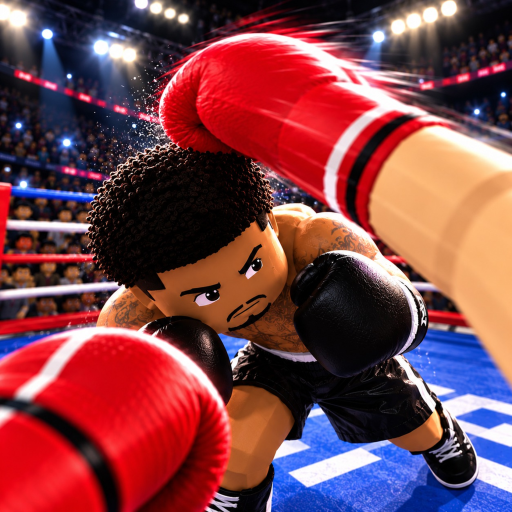
First Person Boxing Controls Not Working: Choose the Fix
Quick answer
- Check whether the intended action appears in a simple practice exchange.
- If movement is slow after exertion, consider the game’s advertised fatigue effect.
- Fix an input problem separately from a guard choice or timing problem.
Decide what “not working” actually means
An action that never appears is different from an action that comes too late. Start by identifying the symptom in First Person Boxing: no movement, no intended combat action, slower movement after exertion or a defensive response that fails to address the incoming target. These situations can feel similar during a rushed fight, but changing every control at once is unlikely to clarify them.
Return to a simple AI practice attempt and use one intention. Choose movement or one guard rather than combine the full attacking sequence. If you can produce the action there, the input itself is a less convincing explanation for every uncomfortable player exchange. Focus the next correction on what changed between those situations.
Treat fatigue as a fight condition
The developer explicitly says that getting tired slows the boxer down. If the difficulty develops during an exhausting exchange, pace deserves attention before you label the controls broken. A setup can remain familiar while the boxer becomes slower. Continuing the same aggressive sequence can make that difference feel like a worsening input problem.
Choose a shorter attacking decision and a clearer position for the next exchange. Do not assume that another press will overcome tiredness. The fatigue guide addresses the slowdown, while stamina management explains the pace decision. This keeps a documented combat condition separate from a client or device problem.
| Symptom | Useful next step |
|---|---|
| Action never appears | Simplify the attempt and check the active input method. |
| Slow movement after exertion | Address tiredness and the pace of the exchange. |
| Guard appears but target is exposed | Revisit head versus body protection. |
| Attack appears but return fails | Reconsider the opening and counter timing. |
Look for the action you intended to choose
A guard may appear without being the right response to the threat. Different guards protect the head and body, so a body threat can expose a head-focused habit. The useful question is whether you chose the right defensive purpose, rather than whether any defensive action appeared on the screen. Return to the target that changed the exchange.
A counter has a similar distinction. Producing an attack after defense does not establish that a useful opening remained. If the action appears but the return is poor, work on the attacking decision and timing. Use guard comparison or counter timing for those problems instead of repeatedly changing the device setup.
Change the setup only for the remaining input problem
When the intended action still never appears in a simple attempt, check the input method you are actually using and whether the Roblox client responds to other ordinary actions. Reconnect the device or restart the session when the problem appears to be a client input failure. Those are general troubleshooting steps, rather than a claimed game-specific repair code.
Keep the change narrow enough to evaluate. Restore one usable action before adding movement, defense and attacks together again. Choose PC, mobile or console guidance for the attention problem of that setup. A successful fix leaves you able to make the action deliberately; the next combat decision still belongs to the fight.
Open the official First Person Boxing experience to match the game and developer before applying this guidance in your next session.