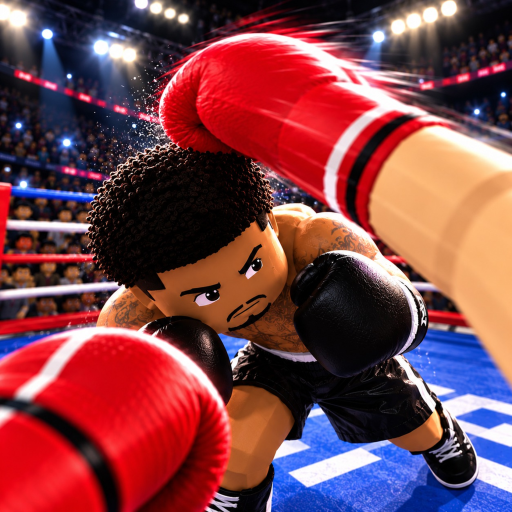
First Person Boxing Controls: The Actions You Need
Quick answer
- Keep viewing, ring movement, punching and defense as separate intentions.
- Learn head and body protection before trying to combine every action.
- Use the device-specific guide for your setup, then rehearse the actions against AI.
Learn intentions before combining inputs
First Person Boxing supports PC, mobile and console play. Across those devices, the important combat intentions remain the same: see the opponent, move in the ring, punch, protect the head or body, slip and counter. Start by making those intentions distinct. Pressing something because you wanted to attack is different from knowing whether you meant to defend or move first.
Use a simple order for becoming familiar with the actions. Establish a useful view, make a deliberate movement, practice one guard and then add an attacking return. You are learning how to control an exchange, rather than trying to reproduce a complicated sequence before you can recognize the incoming threat.
Keep the target attached to the defensive action
The game advertises different guards for head and body protection. Think of the defensive input as a response to a target. A head threat calls for head protection; a body threat calls for body protection. This distinction is more useful than memorizing defense as a single action you hold throughout a fight.
Slipping and guarding are also different intentions. One responds through movement, while the other protects the threatened area. Decide which action you are practicing before the exchange begins. If you meant to guard but instead kept moving, simplify the next attempt so you can make the intended response deliberately.
| Intention | Keep attention on |
|---|---|
| View | The approaching hand and threatened target. |
| Movement | A position from which the next exchange stays readable. |
| Defense | The head or body threat you intend to answer. |
| Attack | An opening you choose to pursue, rather than an automatic return. |
Treat a counter as a separate commitment
A counter is an attacking choice made around an opening. Do not let the defensive action automatically turn into a return every time. First notice whether you still have a useful position and enough control to act. Fatigue matters here: getting tired slows the boxer down, and a return made merely because you can press an attack can be harder to manage.
Rehearse defending without an immediate return, then defending with one deliberate attack when the situation makes sense. Keeping those two attempts distinct helps you avoid confusing a successful defensive input with permission to continue punching indefinitely. The counter timing guide concentrates on that attacking moment.
Choose the guide for the device in your hands
Use PC controls when your view and combat actions are spread across a desktop setup. Use mobile controls when your hands share the screen with the opponent. Use console controls when you are coordinating movement, view and defense on a controller. The aim is the same, but the practical attention problem changes.
If an action seems unresponsive, separate the input question from the fight situation. A tired boxer moving slowly is a different problem from an input that never produces the action you intend. Return to a focused practice attempt before changing every part of the setup. Controls not working gives that troubleshooting decision its own place.
Open the official First Person Boxing experience to match the game and developer before applying this guidance in your next session.